Second Brain meets Getting Things Done, Part 2: Claude Skills and Obsidian Bases
Getting Things Done has always had one goal at its core: make capturing and organizing your commitments as effortless as possible. That’s exactly why Claude turned out to be so powerful for this project. I talk, and things get added, changed, and updated in my system without me having to think through the mechanics. I let Claude handle the details.
“Your ability to generate power is directly proportional to your ability to relax.” Getting Things Done, page 12.
When I started, I simply told Claude to build me a second brain. I already had a rough Getting Things Done system running with Claude Cowork, but it didn’t quite fit my workflow. So I decided to integrate the two, and what emerged were five skills in Claude and three Bases in Obsidian. That number may change over time, but here’s where things stand now.
Before I go further, it’s worth explaining what I mean by a “skill” and “base”. In Claude, a skill is a special set of instructions I (or Claude) write once and Claude follows every time I invoke it. Think of it as a specialized playbook: it tells Claude exactly how to handle a recurring task, what questions to ask, what files to look at, and what output I expect. Instead of re-explaining my process every time I want something done, I build the skill once, and now I just say “process my inbox” and Claude knows to invoke the skill and follow its instructions.
Obsidian’s “Bases” lets me turn the markdown files into a structured, filterable database view. Rather than clicking through individual notes to find what I need, I can see everything at a glance, sorted and filtered the way a spreadsheet would work, except every row is still a note that I can open and edit.
Inbox Processing
I have a folder called inbox. I drop things into it, and Claude processes them. It walks through the folder, checks for any file type, sweeps through my daily notes, and updates projects, areas, and resources accordingly. If something needs a new markdown file, it creates one. If an existing file needs updating, it makes the change.
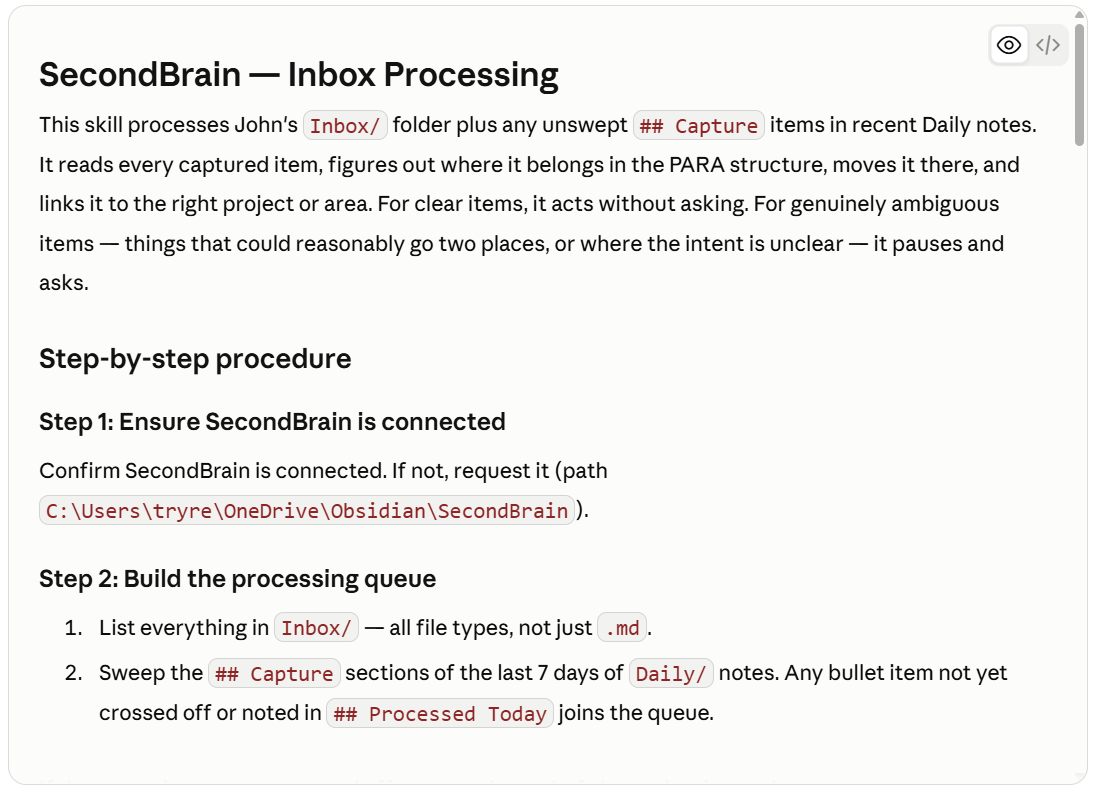
All of this happens without extra work on my end beyond telling Claude to process the inbox. I’m also working on feeding in handwritten PDFs from my ReMarkable tablet, and the skill has specific capability for handling those too. Here’s the part I appreciate most: it only pauses to ask me for clarification when something is genuinely ambiguous. Otherwise, it just handles it.
Morning Routine and Daily Planning
My morning routine is really an extension of a daily journal practice I’ve kept for several years, tracking sleep, exercise, and general notes on what worked the day before. I’ll go deeper into that journal in part three of this series. I’m also experimenting with a meditation question, though I’ll admit it still needs tweaking to match where my needs actually are day to day.
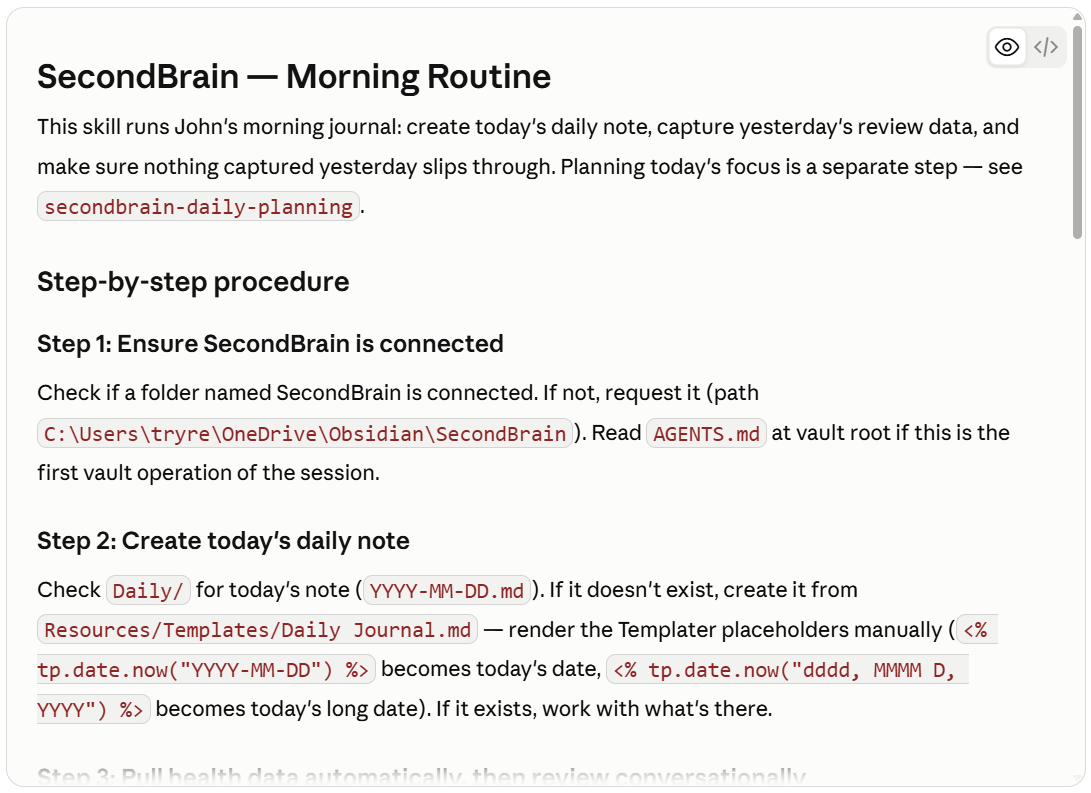
Once the journal is done, daily planning follows. Claude looks through my open projects for next actions, and I decide what I want to work on that day. It even checks back on what I identified in last week’s end of week routine, so if I said I wanted to tackle something specific, it reminds me. It’s a simple mechanism, but it keeps my focus anchored in what actually matters.
End of Day and End of Week
At the end of the day, Claude reviews my daily plan and asks what changed. Did any action items shift? Did any project statuses need updating? It can even check Asana for tasks marked complete there but not yet reflected in my notes, and I can push updates back to Asana so both systems stay in sync.
The end of week routine builds on that same review, then adds reflection on the week as a whole and planning for the next one. I set weekly goals across my domains, the center, research, teaching, personal, and service, and Claude checks those against my monthly goals file to keep everything aligned.
Obsidian Bases
Right now I run three “bases”. A people base pulls together everyone mentioned in my resources area so that I have a simple CRM. I can filter by domain, whether it’s the center, teaching, or research, and see who I haven’t connected with recently. A project base gives me a live view of every active project, its status, and its next action, without me having to open each file individually. And a goals base tracks my weekly and monthly goals side by side, so I can see my plans at a glance.
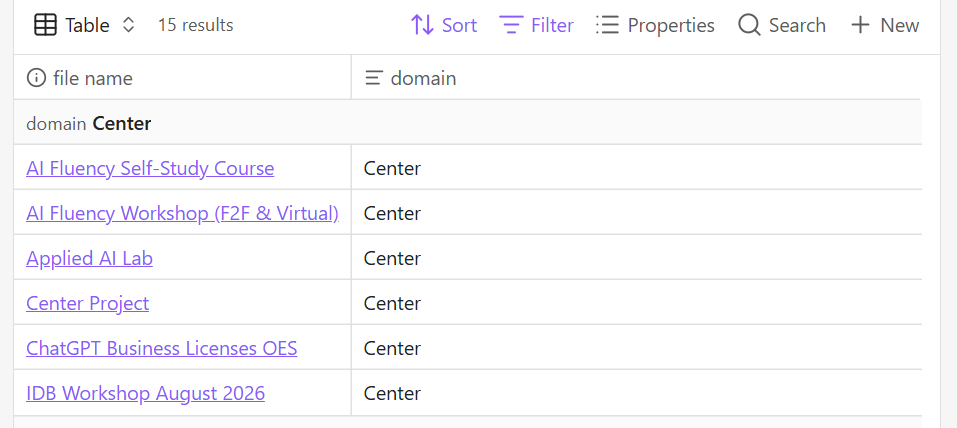
This works well with the rest of the system because Claude can read and update the same markdown files that populate these Bases. So when Claude processes my inbox or runs my end of week routine, the changes show up automatically in these views. I’m not maintaining the bases separately.
What makes this work well with the rest of the system is that Claude can read and update the same markdown files that populate these Bases. So when Claude processes my inbox or runs my end of week routine, the changes show up automatically in these views. I’m not maintaining the database and the notes separately. They’re the same thing, just seen two different ways.
What’s Still a Work in Progress
To say this system is finished would be an overstatement. The Asana synchronization works in tests, but I haven’t been thorough about verifying it holds up over time. And my ReMarkable workflow, getting handwritten notes reliably into the inbox, still needs more consistent habits on my part before it’s truly automatic.
I should also admit I don’t follow Getting Things Done as rigorously as I once did. I don’t maintain separate buckets for deferred or delegated items, for instance. Instead, I track that status within the projects themselves and just ask Claude directly. What I did keep is the separation between projects and single, standalone action items, which live in areas rather than getting forced into a project structure they don’t need.
A Second Brain for Everyone
That’s the system, at least as it stands today. Five skills, running quietly in the background, turning a folder and a conversation into a working second brain.
I want to be clear about something. I’m a professor of management information systems, and I still didn’t write most of this system by hand. The setup I described above was build largely by Claude. Through several conversations with Claude, I explained what I was trying to do and it did most of the work. When a skill needed adjusting, I explained the change in plain English, and Claude modified the underlying files. When I wanted a new Base or a different folder structure, I asked for it the same way I’d ask a colleague for help, not the way I’d write code. I even asked it to review my current setup and and recommend improvements.
That matters because the barrier to building something like this has disappeared. You don’t need to know markdown syntax, and you don’t need to understand how Obsidian’s Bases query language works under the hood. You need to know what you want your system to do, and you need to be willing to describe it, adjust it, and describe it again until it fits. Claude handles the translation from your intent to the actual files and folders.
So if you’ve read this far and thought this sounds interesting but out of reach, it isn’t. Start simple, perhaps with a single Inbox folder and one skill that processes it. Tell Claude what you want that skill to do, in your own words. Then add the next piece when you’re ready. The system I’ve described took several weeks to build, and it’s still evolving. But every piece of it started the same way yours would: as a conversation.